
You can start recording meetings in your browser. Follow these steps to get started.
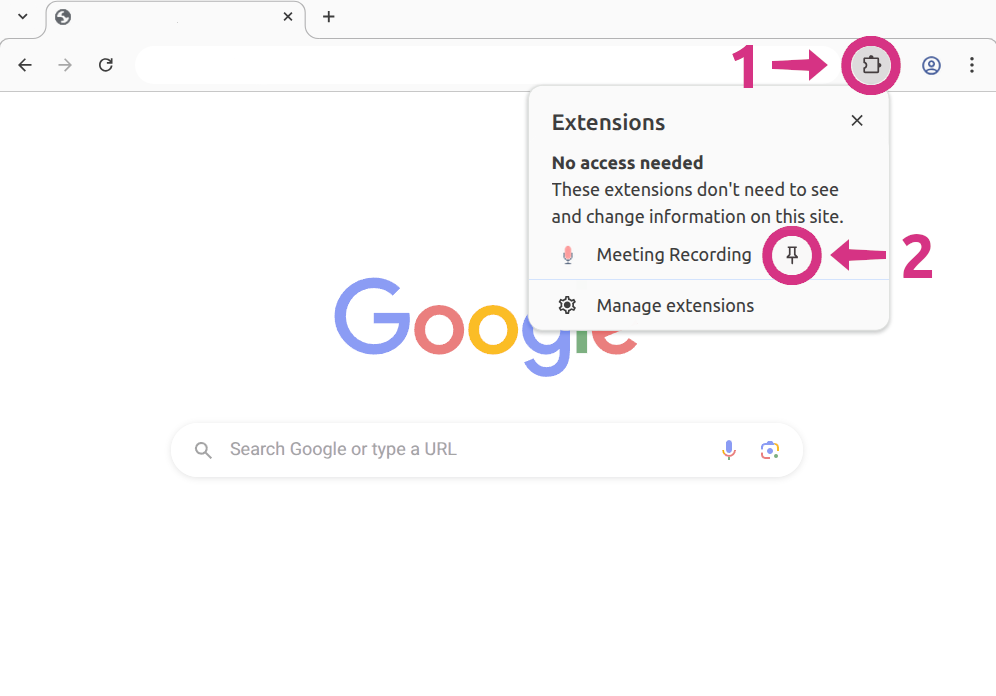
Step 1: Open the extension
Click the puzzle piece icon in your browser toolbar to see your extensions.
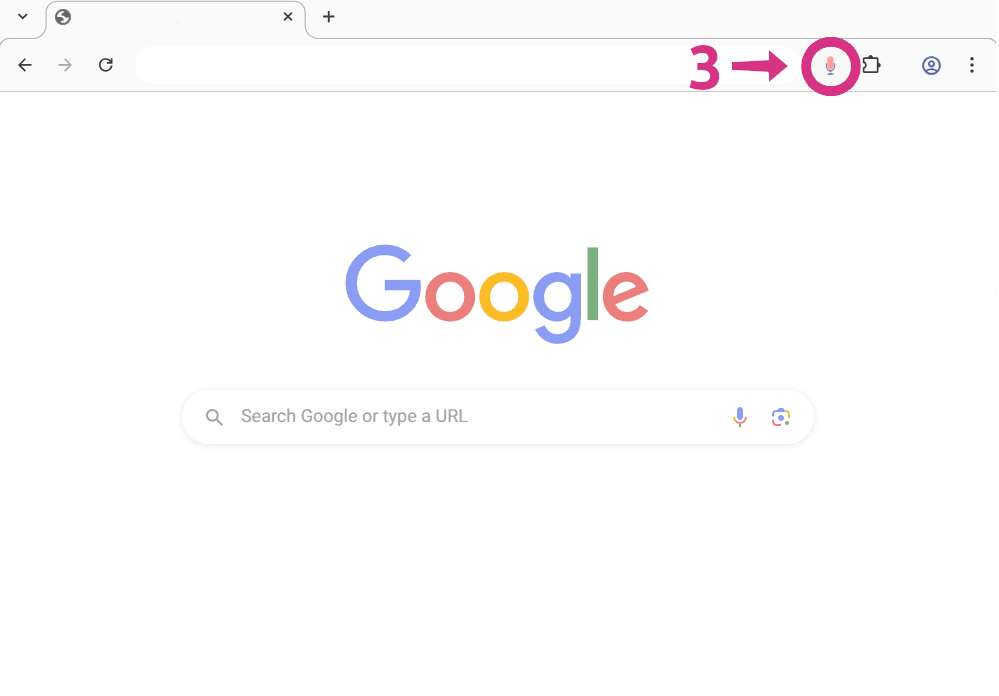
Step 2: Pin Meeting Recording
Find Meeting Recording and click the pin so it stays visible in your toolbar.
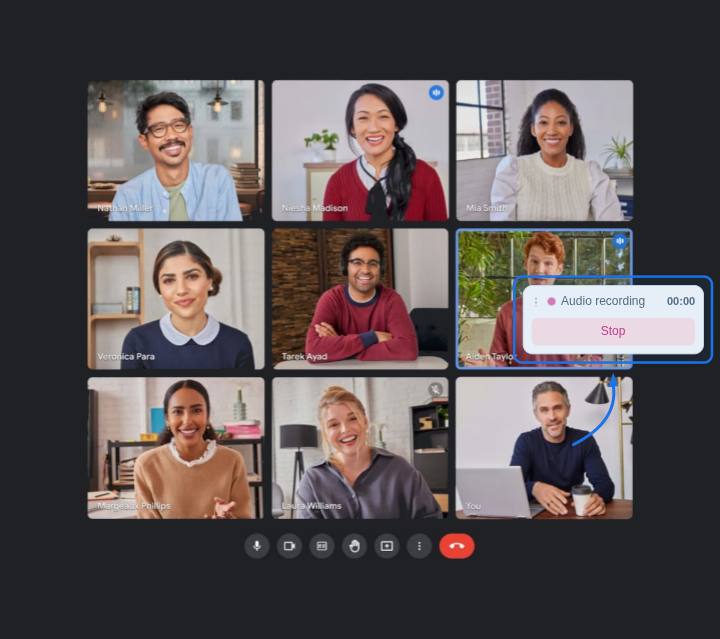
Step 3: Record your meetings
Join a web meeting on Zoom, Meet, Teams, or similar. Click the Meeting Recording icon in your toolbar to start – choose Audio or Audio & Video. While you record, the pill on the page shows status and offers a quick way to stop.
Read the full How-to guide for step-by-step instructions and tips.